Built for BigBlueButton Server Owners

Archive BigBlueButton recordings to your own Google Drive, without losing fast access.

Stop digging through nested folders in Drive. This platform keeps your recordings in your own storage, while giving your IT/LMS administrators a searchable dashboard to find and play content instantly.

Your storage, your control: recordings stay in your Google Drive.
Easy retrieval: no manual folder hunting for archived sessions.
Built for growth: ideal for managed hosting accounts and self-hosted BBB infrastructure.

What You Get

A clean recording archive experience for your organization

  • Automated archival from BigBlueButton recordings
  • Google Drive integration and health checks
  • Recording list and player access in one portal
  • Role-based access for IT administrators and instructors

Why This Matters

Bridge the gap between cheap storage and easy access

Google Drive is affordable and reliable, but raw folder navigation is painful for administrators and instructors. We solve that by turning storage into an organized, searchable recording experience.

Automatic Archiving

Move BigBlueButton recordings into Google Drive workflows without repetitive manual uploads.

Fast Discovery

Find recordings by date, title, or course context from one dashboard instead of deep folder trees.

Admin-Friendly Access

Give your IT administrators, instructors, and support staff a clean, secure archive view with role-based authentication.

Operational Visibility

Track upload status, failed jobs, and archive health before issues become support tickets.

500+
Organizations Trust Us
40+
Countries Served
99.9%
Uptime Focus
24/7
Ops Monitoring

Better Than Raw Drive Access

Your storage, but platform-grade usability

With BBB Archive Platform

  • One dashboard to view and play recordings
  • Metadata-first listing instead of folder crawling
  • Access control with administrator and instructor roles
  • Archive health and failure visibility

Only Google Drive Folders

  • Manual folder navigation each time
  • No recording-oriented dashboard UX
  • Harder delegation for IT administrators and staff
  • Limited visibility into archive pipeline issues

Use Cases

Perfect for managed-hosting customers and self-hosted BBB admins

If you run a BBB server and want lower storage cost without sacrificing usability, this archive platform gives you both: affordable Drive storage and fast, reliable recording access.

Reduce overhead compared to high-cost managed storage options.
Keep your archive data ownership with your own Google Drive account.
Give your administrators and instructors a premium playback and search experience.

From folder chaos to instant access

Without this platform

Admins and staff open Google Drive and manually browse multiple folders to locate recordings.

With this platform

Admins and staff open one dashboard and directly access recordings, with playback-ready links.

Product Tour

See how administrators manage archives end to end

From high-level visibility to detailed recording access, every screen is optimized for fast admin workflows.
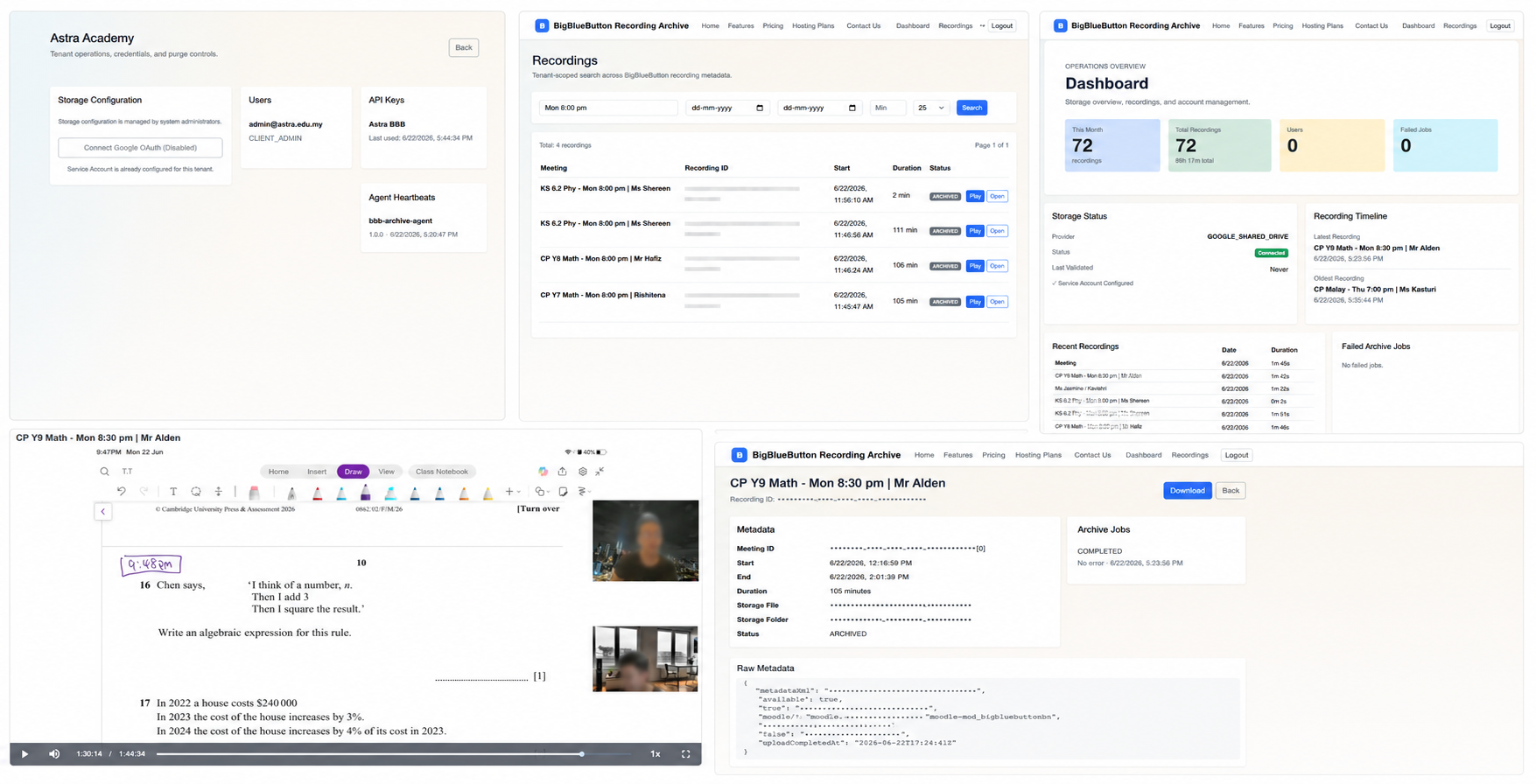
Merged platform overview showing archive workflow across screens
Overview

Platform Overview

A merged snapshot of the full archive flow for IT and LMS administrators.
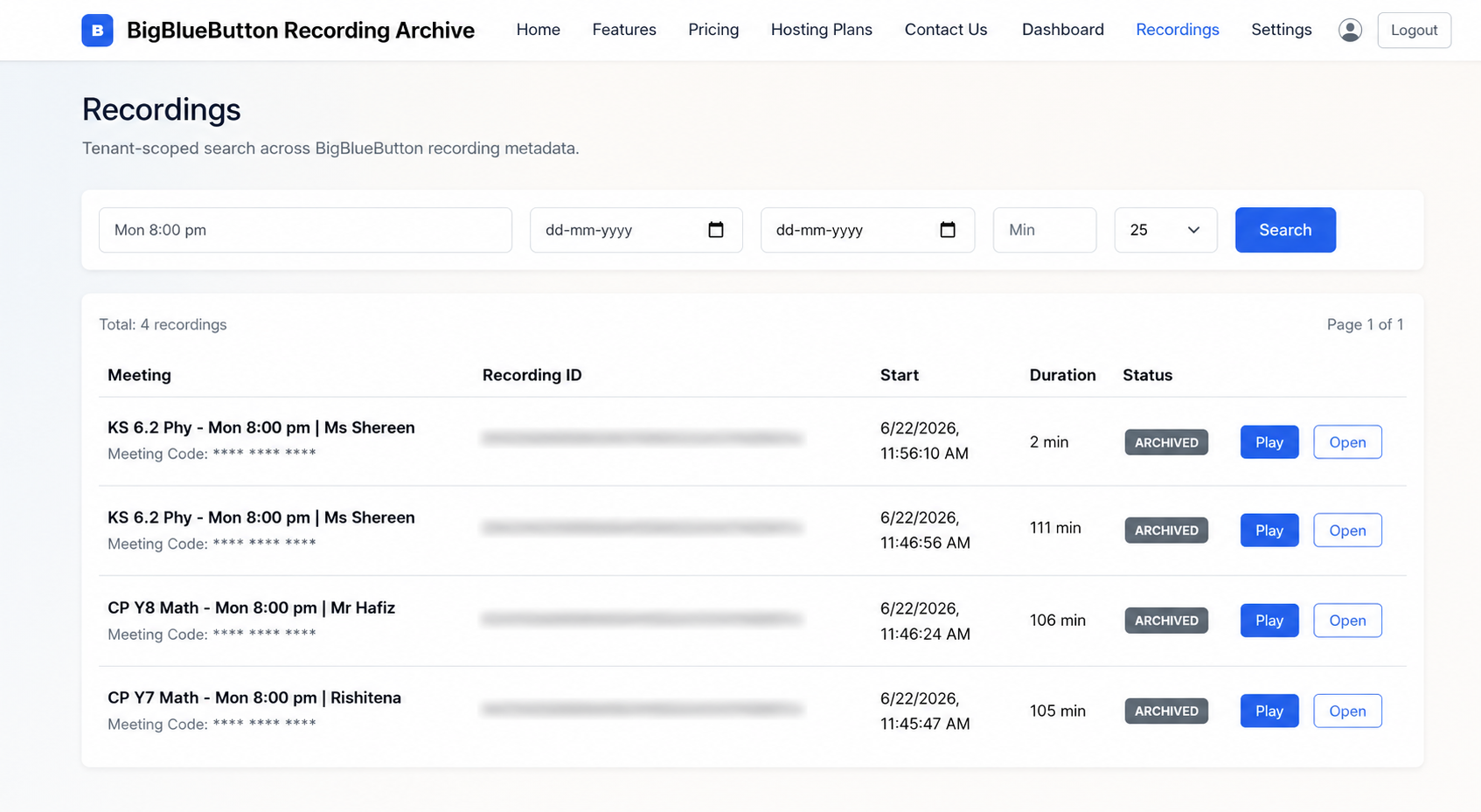
Recordings screen with searchable archive list and filters
Recordings

Recordings Explorer

Search, filter, and access archived sessions quickly without folder browsing.
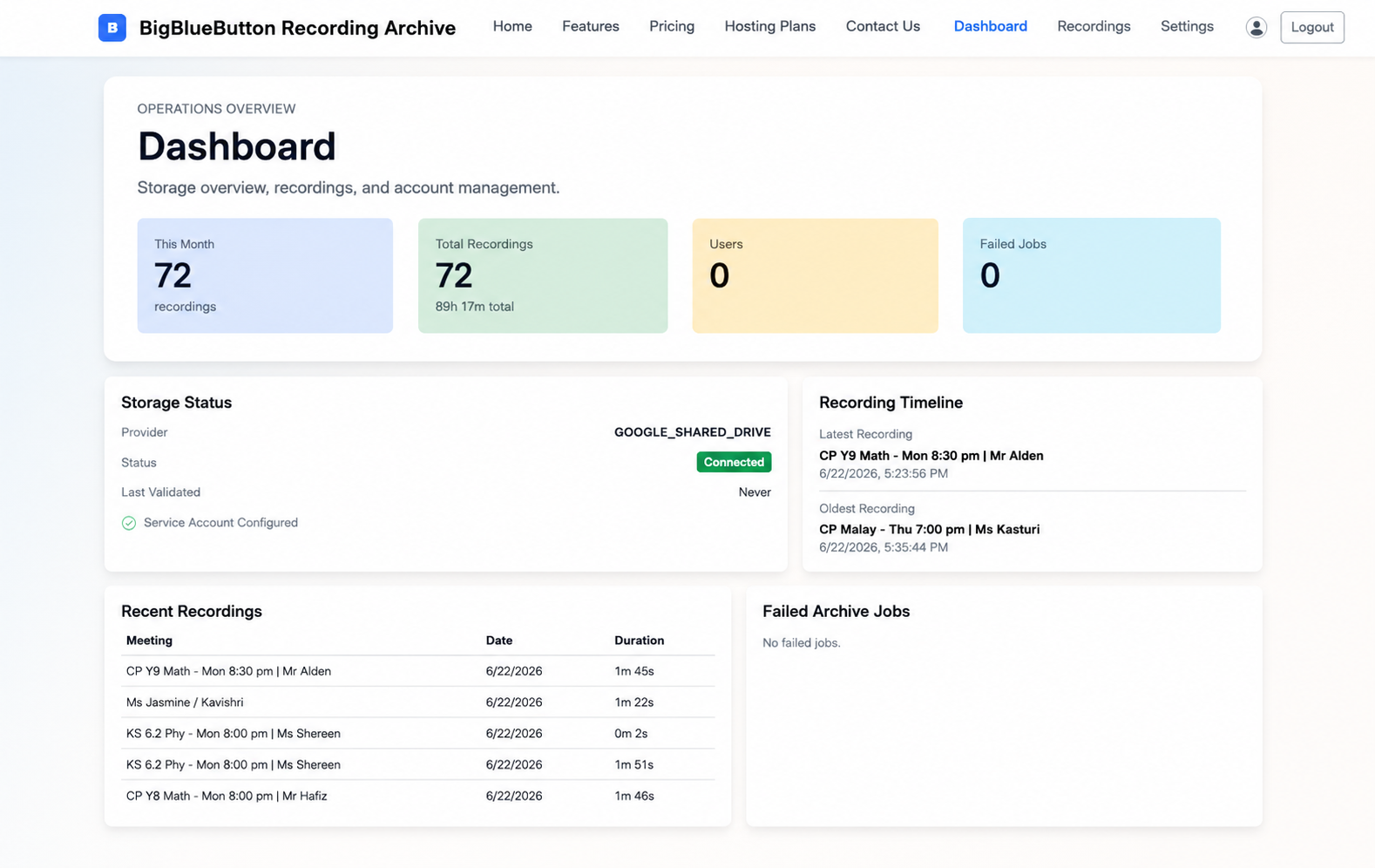
Dashboard screen showing archive health and operations metrics
Dashboard

Operations Dashboard

Monitor archive status, storage health, and key operational metrics in one view.

Who Uses This

Built for organizations running BigBlueButton

K-12 & Higher Education

Reliable archive access for classes, exam prep, and revision sessions.

Coaching Institutes

Low-cost retention of session recordings with quick student access.

Corporate Training

Search and replay internal training recordings without storage complexity.

SaaS & Platform Administrators

Keep ownership of storage in your Google Drive while getting a managed archive UX.

Transparent Pricing

Simple pricing for managed hosting and self-hosted BBB environments

Start with a short trial, launch with one-time deployment, then continue on clear recording-based monthly plans.

Trial Access

1 Week Free Trial

$0

Evaluate full workflow with limited initial archive scope.

  • Full dashboard access
  • Upload of up to 30 latest recordings
  • Ideal for validation before go-live

After First 6 Months

Ongoing Monthly Plans

From $10 / month

Choose the plan based on hosting type and archive volume.

  • Managed hosting: $10/month for up to 1000 recordings
  • Self-hosted: $15/month for up to 1000 recordings
  • $35/month for up to 5000 recordings (all clients)

Keep storage costs low. Keep recording access premium.

Built to help managed-hosting customers and self-hosted BBB admins run a smoother archive experience using Google Drive.

FAQ

Frequently Asked Questions

Yes. Your recordings are archived to your configured Google Drive storage. We improve discoverability and access through the dashboard layer.

You get a 1-week free trial with upload access for up to 30 latest recordings. Production onboarding is $350 one-time and includes setup plus the first 6 months. After 6 months: managed hosting clients pay $10/month for up to 1000 recordings, self-hosted clients pay $15/month for up to 1000 recordings, and a $35/month tier covers up to 5000 recordings for all clients.

Yes. It works for managed-hosting organizations and self-hosted BBB admins, with role-based access for administrators and instructors.